When Something Breaks
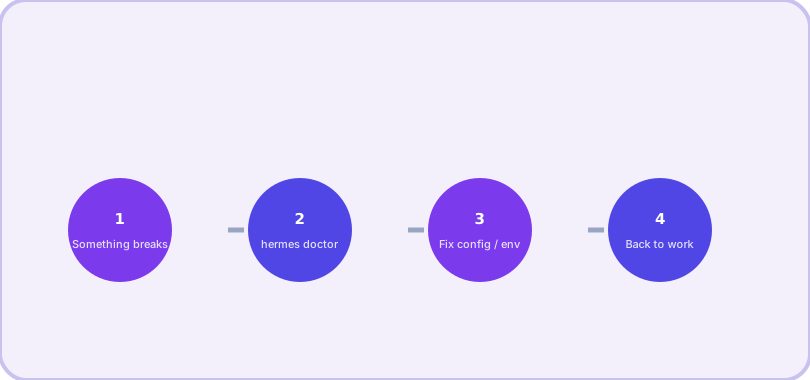
Most Hermes problems have short, known fixes. This page collects the ones that actually come up, starting with the command that diagnoses everything else.
Step zero: hermes doctor
hermes doctor          # diagnose everything
hermes doctor --fix    # repair what is auto-fixable
When you already know the symptom, jump straight to the fix:
| Symptom | First thing to try |
|---|---|
| Provider errors / 401 | hermes doctor, then re-check the credential in ~/.hermes/.env |
| Tool or skill missing | /reset (tools load per session); /reload-skills |
| Bot silent in chat | /restart the gateway; check platform intents (Discord) |
| Config change ignored | New session or gateway /restart — many toggles load at startup |
| Voice not working | stt.enabled in config; install a provider; relaunch |
Provider and model errors
"No models provided" on first run. Your config.yaml was saved with a UTF-8 BOM — common when a Windows app wrote the file. Re-save it as UTF-8 without BOM (editing with hermes config edit avoids the problem entirely).
Copilot 403. A GitHub CLI login token does not work for the Copilot API. Use the Copilot-specific OAuth device flow via hermes model → GitHub Copilot.
Auxiliary tasks (vision, compression) fail silently. The "auto" provider could not find a backend for that task. Either set a general key like OPENROUTER_API_KEY, or pin each auxiliary task's provider explicitly (hermes config set auxiliary.vision.provider ...).
Tools and skills misbehaving
Enabled tool does not show up. Tools load at session start — /reset (new session) applies the change. Same for skills that are not appearing: reload with /reload-skills or load one explicitly with /skill name.
Config change did nothing. Some toggles are snapshotted at startup. In the gateway use /restart; in the CLI exit and relaunch. As a rule: tools, skills and config = new session; code changes = restart the process.
Gateway problems
Discord bot is silent. Enable Message Content Intent for your bot (developer portal → Bot → Privileged Gateway Intents). Without it the bot hears nothing.
Slack bot ignores public channels. The Slack adapter subscribes to message.channels — DM-only setup will not see channel messages.
Gateway dies on SSH logout. Enable linger: sudo loginctl enable-linger $USER. Dies when you close WSL2: systemd must be on ([boot] systemd=true in /etc/wsl.conf).
Crash loop after a failed update: systemctl --user reset-failed hermes-gateway, then start again.
Voice
If voice is not working: check stt.enabled in config, install a transcription provider (local faster-whisper is free and offline; Groq and OpenAI Whisper are cloud options), then /restart the gateway or relaunch the CLI.
Windows-native quirks worth knowing
Newline key: Alt+Enter toggles fullscreen in Windows Terminal and never reaches Hermes — use Ctrl+Enter. Sandbox socket error (WinError 10106): the code-execution sandbox needs SYSTEMROOT in its environment; recent versions allowlist it automatically. Killing a stuck dev server: do not taskkill /f /im python* — that takes down every Python process including Hermes; target the specific port's PID instead.
Still stuck?
Run hermes debug — it packages system info and logs into a shareable debug report. And when you find a fix that is not written anywhere, tell your agent: it can save the lesson as a skill so neither of you hits it twice.
Frequently asked questions
What is the first command to run when anything seems wrong?
hermes doctor. It checks dependencies, config sanity and provider connectivity, and usually names the exact problem. Add --fix to let it repair what it can.
Why does a tool I enabled not appear?
Tool changes take effect on a new session: /reset in chat (or restart the CLI/gateway). This is deliberate — it protects prompt caching mid-conversation.
Where are the logs?
Gateway and error logs live in ~/.hermes/logs/. For gateway trouble, grep gateway.log for "failed to send" or "error".