Memory That Survives the Session
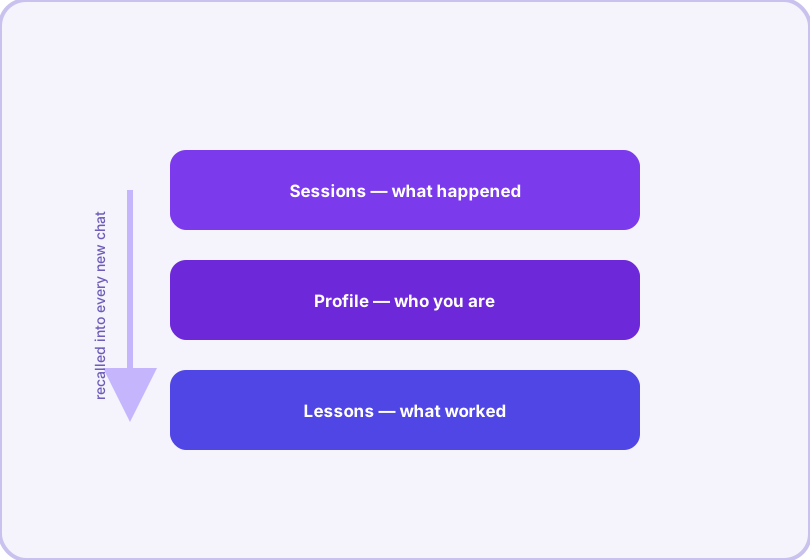
Most AI chats have the memory of a goldfish. Hermes Agent keeps persistent memory: who you are, how you like things done, what your environment looks like, and what previous sessions learned the hard way.
The three layers
Sessions are the raw transcripts — every conversation, listable and searchable (hermes sessions list, hermes sessions browse, export to JSONL when you want a copy).
Profile is the distilled picture: your name, preferences ("always show me the diff", "I use pnpm not npm"), your operating system and tooling. It is what makes an agent feel like yours on the fifth session instead of interviewing you all over again.
Lessons are corrections that hardened into knowledge: "the tests need PYTHONPATH set", "this repo deploys with the staging flag". Combined with skills — which store procedures — lessons store the facts.
The three layers at a glance
| Layer | Keeps | Example |
|---|---|---|
| Sessions | Raw transcripts, searchable | "What did I ask about the deploy script?" |
| Profile | Who you are, preferences, environment | "Uses pnpm; prefers concise diffs" |
| Lessons | Corrections hardened into knowledge | "Tests need PYTHONPATH set" |
Configuring it
hermes memory setup     # choose and connect a provider
hermes memory status    # what is active, what it knows
hermes config set memory.memory_enabled true
Memory is pluggable. The built-in store works out of the box in ~/.hermes; the Honcho and Mem0 backends are available if you want a dedicated memory service (Honcho needs its plugin: hermes honcho setup). The config exposes the knobs: memory_enabled, user_profile_enabled, and the provider choice.
How it behaves in practice
Memory is recalled into context automatically at session start — you do not manage it by hand. Tell the agent once that your deploy script lives in ~/ops/deploy.sh and next week it will simply know. Scheduled cron jobs pass through with memory disabled by default (a deliberate hygiene choice so automated runs do not pollute your profile), and session search is its own toolset, so "what did I ask about X last month" is one query away.
Privacy, honestly stated
Memory lives on your machine (or your chosen backend), not on a vendor's server — the agent you run, the storage you pick. If that ever feels like too much, every layer can be switched off in config, and removing ~/.hermes removes everything. Gateway users handling sensitive chats can additionally enable PII redaction so identifiers are hashed before they even reach the model.
Frequently asked questions
What does Hermes remember about me?
Whatever it learns and whatever you tell it: your name and preferences, your machine setup, project context and lessons learned from past sessions. You can inspect and edit what it knows via the memory tools.
Can I turn memory off?
Yes. Memory is configurable per aspect — user profile, environment hints and general memory can each be toggled in config (memory section), or managed with hermes memory setup/status.
Do sessions share memory automatically?
Yes — that is the point. Facts and lessons from one session are recalled into future sessions, while raw conversation transcripts stay separate and searchable (hermes sessions search / the session_search toolset).