One Agent, Every Chat App
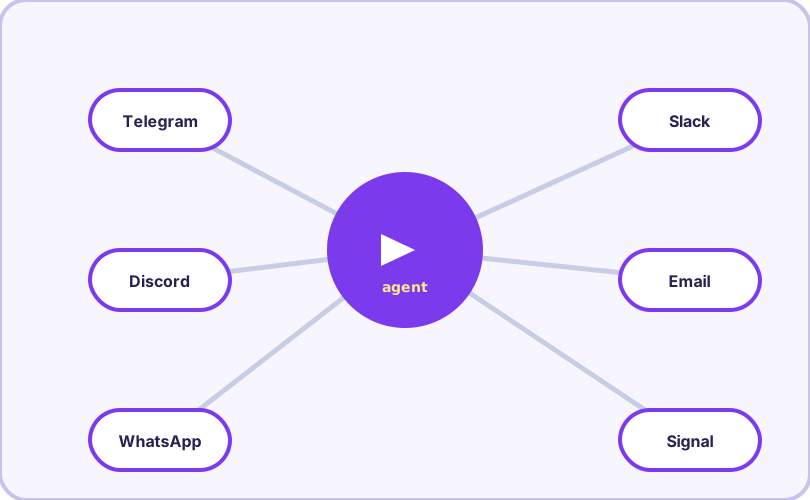
The gateway turns Hermes from a terminal tool into a personal agent you can message from anywhere. The same agent — full tools, skills, and memory — answers in Telegram, Discord, Slack, WhatsApp, Signal, Email, SMS, Matrix and more.
Set it up once
hermes gateway setup     # pick platforms, paste tokens
hermes gateway run       # foreground — watch it work
hermes gateway install   # install as a background service
hermes gateway start     # then start / stop / restart / status
Platform setup is per-service: a bot token for Telegram or Discord, app credentials for Slack, an email account for the Email adapter. The setup wizard walks each one, and our troubleshooting guide collects the classic failures (silent Discord bots, WSL services dying on logout, and friends).
What it can do there
The gateway is not a toy remote control. Message your agent "pull last month's invoices from the shared drive and reconcile them against the bank export" and it does the work exactly as it would in your terminal — reading files, running scripts, writing results — then replies with a summary and, when useful, a file. Voice messages are transcribed automatically (local Whisper works offline), and it can talk back with text-to-speech.
Security that matters
Three layers keep a shell-capable agent in a group chat safe:
Pairing: direct messages require authorization — unknown numbers/accounts get nothing until you approve them (hermes pairing list/approve).
Approvals: destructive shell commands still prompt. You approve from the chat itself with /approve or /deny.
Home channel: set one chat as the default delivery target for scheduled jobs (/sethome), so cron results land where you actually read.
Platforms and daily commands
| Platform | Notes |
|---|---|
| Telegram | Bot token setup; voice messages auto-transcribed |
| Discord | Enable Message Content Intent or the bot stays silent |
| WhatsApp / Signal | Personal-account adapters; DM pairing controls access |
| Slack | App credentials; subscribes to channel messages |
| Email / SMS | Full inbox as an agent surface |
| Matrix / Mattermost | Self-hosted chat options |
| API Server / Webhooks | Wire the agent into your own software |
Daily-driver tips
Use /status in any platform to see session info, /platforms to check what is connected, and /update to upgrade the agent without touching the terminal. Long tasks you start on mobile keep running server-side; results arrive when done. Combined with skills and memory, the gateway is what makes Hermes feel less like software you operate and more like an assistant you message.
Frequently asked questions
Does the gateway version have fewer tools than the terminal?
No — the gateway runs the same agent with full tool access. The chat app is just another front door.
Is it safe to give a chat app shell access?
Hermes keeps its approval prompts in gateway mode: destructive commands wait for your /approve. You can also restrict toolsets per platform, and DM authorization (pairing) controls who can talk to your agent at all.
My Discord bot is silent — why?
Discord requires the Message Content Intent to be enabled for your bot (Bot → Privileged Gateway Intents in the developer portal). Without it, the bot receives messages but cannot read them.