Skills: Teach Once, Reuse Forever
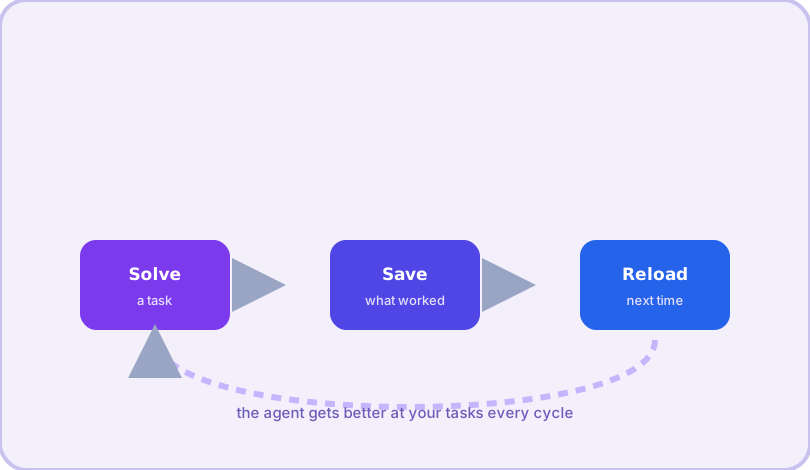
Skills are Hermes Agent's signature feature: reusable procedure documents the agent writes for itself. Solve a gnarly problem once, and the working recipe is saved, searchable, and loaded automatically the next time a similar task appears.
How the loop works
Three moves, repeating: the agent solves a task; when a procedure proves reusable — a deployment dance, a report format, a fix for a recurring bug — it saves a skill (a markdown document with instructions); the next time a matching task shows up, the skill loads into context and the agent starts from experience instead of zero. Skills are stored under ~/.hermes/skills/, and a background curator keeps the collection healthy: tracking usage, marking stale skills, archiving what sits unused — with a backup before anything changes, and it never deletes.
Recipe 1 — Browse and install from the hub
hermes skills browse            # explore the public catalog
hermes skills search "pdf"     # find by keyword
hermes skills inspect ID       # preview before installing
hermes skills install ID       # install (hub ID or a direct SKILL.md URL)
Recipe 2 — Keep skills fresh
hermes skills check            # see what has updates
hermes skills update           # update outdated ones
Recipe 3 — Bring your own skill file
Any SKILL.md on the web installs by URL — including one in your own repo:
hermes skills install https://example.com/SKILL.md --name my-skillRecipe 4 — Add a private tap (team library)
hermes skills tap add https://github.com/your-org/skill-library
hermes skills search "deploy"  # searches your org library too
Recipe 5 — Publish what your agent learned
When one of your agent-created skills is genuinely reusable, share it:
hermes skills publish ~/.hermes/skills/my-skillRecipe 6 — Preload a skill for a specific run
hermes -s pdf-extract chat -q "Pull the tables from invoice.pdf into CSV"Recipe 7 — Scheduled skill runs
Combine the cron system with a skill for standing automation — a nightly job that loads your report skill and posts the result to Telegram:
hermes cron create "0 21 * * *" --skills weekly-report \
  -q "Generate the metrics report and send it to me"
Recipe 8 — Curate the collection
hermes curator status          # what is stale, what is pinned
hermes curator pin my-skill    # exempt from archiving
hermes curator backup          # snapshot before big changes
The whole toolkit at a glance:
| Command | Use it to… |
|---|---|
| skills browse / search | Discover skills in the hub and your taps |
| skills install ID-or-URL | Install from the hub, a git repo, or any SKILL.md URL |
| skills check / update | Keep the collection current |
| skills publish PATH | Share a skill you (or your agent) wrote |
| tap add REPO | Add a private team library as a skill source |
| curator status / pin | Keep the collection healthy; protect favorites |
Skills plus memory are the two halves of Hermes getting better over time: memory keeps facts about you and your environment, skills keep procedures. Together they turn a general-purpose agent into your agent.
Frequently asked questions
Where do skills live on disk?
Installed skills live in ~/.hermes/skills/. Each skill is a directory with a SKILL.md document whose frontmatter (name, description) tells the agent when to load it.
Can skills do anything harmful?
A skill is a procedure document, not executable code — it guides how the agent uses its existing tools. Standard command approvals still apply; the agent will still ask before destructive shell commands unless you changed approvals.mode.
How do I share a skill with my team?
Put the skill folder in a git repo and add that repo as a tap (hermes skills tap add REPO), or publish to the public hub with hermes skills publish PATH.