Your First Agent Task
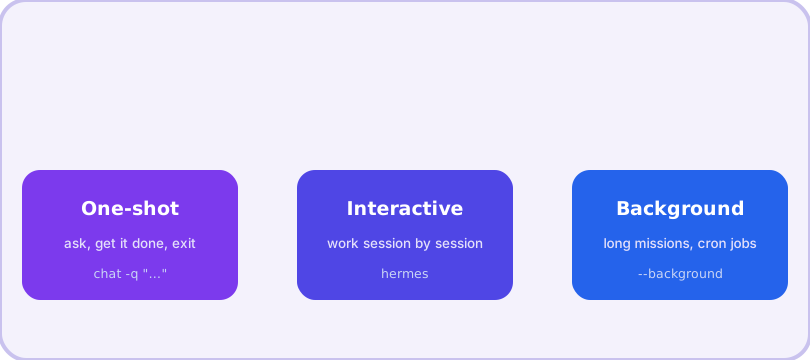
Everything in Hermes starts the same way: you describe an outcome, the agent plans and executes it. This page shows the three ways to run a task — one-shot, interactive, and background — plus the small set of flags that cover 90% of daily use.
One-shot: ask, get an answer, done
The quickest way to see the agent work:
hermes chat -q "Summarize the TODO comments in this repo and write them to ~/notes/todos.md"The -q flag runs a single query non-interactively: the agent plans, uses its tools (reading files, writing the summary), and exits when done. One-shot mode is ideal for chores — and because it needs no interactive terminal, it is also how you drive Hermes from scripts and cron jobs.
Interactive: the working session
Run hermes with no arguments and you get an interactive chat. Talk naturally; type requests like:
hermes
> fix the failing test in tests/test_parser.py and explain what was wrong
Useful in-session commands (all start with /): /new for a fresh session, /model to switch models mid-session, /tools to manage toolsets, /undo to remove the last exchange, and /compress to manually compress a long conversation. Type /help for the full list.
Background: long missions
Big tasks should not hold your terminal hostage:
hermes chat -q "Set up CI for this repo" --backgroundThe agent keeps working while you do something else. For hours-long or scheduled work, the cron system (hermes cron create) runs recurring jobs — nightly reports, inbox triage, backups — and can deliver results to your chat apps via the gateway.
The flags that matter
| Flag | What it does |
|---|---|
| -q, --query | One-shot non-interactive query |
| -c, --continue | Resume the most recent session by name |
| -r, --resume ID | Resume a specific session by ID or title |
| -w, --worktree | Isolated git worktree mode — parallel agents that edit code without colliding |
| -s, --skills | Preload specific skills for this run |
| -p, --profile | Run under a named profile (isolated config, sessions, skills, memory) |
| -m, --model | Override the model for this run, e.g. anthropic/claude-sonnet-4 |
A good first mission
Pick something real but low-stakes: "read this project and write a one-page architecture summary to ARCHITECTURE.md". You will watch the agent explore files, form a plan, and produce a document — and you will immediately understand the difference between a chatbot and an agent. When it makes a mistake, tell it; if the correction is reusable, it can save the lesson as a skill and never repeat it.
Frequently asked questions
Do I need to prepare a task list first?
No. Describe the outcome you want in one sentence; the agent plans the steps itself. If it needs a decision from you, it will ask.
How do I stop a running task?
In interactive chat, press Ctrl+C to interrupt, or use /stop to kill background processes the agent started.
Can I resume a session later?
Yes — hermes --continue resumes the most recent session, and hermes --resume NAME (or a session ID) resumes a specific one. Sessions are listed with hermes sessions list.